Summary:
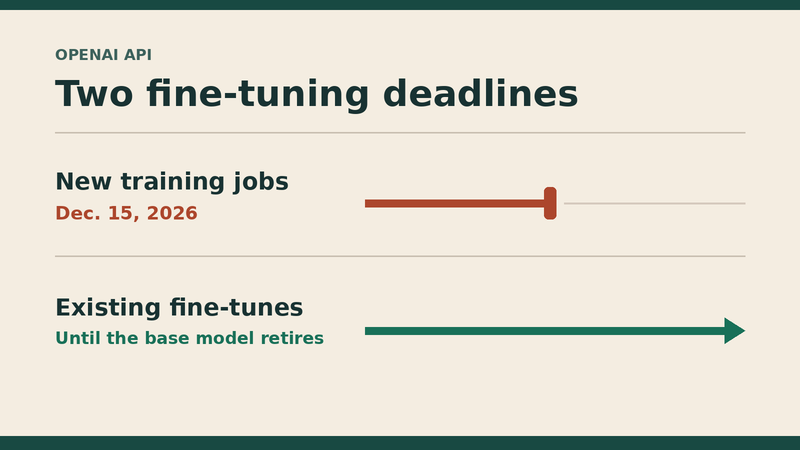
The Genie tools stay the same. The server URL, OAuth scope, and access checks are what clients need to update.If your Databricks Genie One MCP client still points to /api/2.0/mcp/genie, update it before November 30, 2026. Databricks says requests to the old endpoint will fail after that date. The current notice supersedes the original October 31 deadline and does not specify a cutoff hour. This is the retirement of the beta endpoint, not of Genie One or its MCP tools.
Replace the server URL and OAuth scope
Use the generally available Genie One MCP service, system.ai.genie_one_mcp, through Unity Gateway. Change the server URL in each affected client or deployment:
https://<workspace-hostname>/ai-gateway/mcp-services/system.ai.genie_one_mcp?o=<workspace-id>Keep the workspace’s own hostname and put its numeric workspace ID in o. You can copy the connection URL from Unity Gateway → MCPs or identify the workspace ID from the o= value in the workspace URL. If your client uses OAuth, request ai-gateway instead of genie and reconnect with the updated configuration. Changing just the URL doesn’t update the scope on an existing token.
Databricks says the tool names and arguments are unchanged. If your code already calls genie_ask and polls for the result, keep that flow and test it against the new connection. You don’t need to rewrite each tool call just to replace the old server address.
Check the identity your client really uses
Run the test with the user or service principal your deployed client actually uses, not just an admin account. The Databricks requirements call for workspace assignment, USE CATALOG on system, USE SCHEMA on system.ai, and EXECUTE on system.ai.genie_one_mcp. The service is an mcp_service, not a function. Unity Catalog still governs which underlying data the caller is allowed to query.
Before switching production traffic, list the tools with the updated connection, ask one read-only question against data that identity is already allowed to see, and confirm the result comes back. If the test fails, check the workspace ID, OAuth scope, and effective permissions before changing your prompts or broadening access. Also check scheduled jobs and other deployments: updating a desktop MCP client doesn’t update a separate runner.
What doesn’t need to move
If your client is already on the Unity Gateway URL, this beta retirement doesn’t require another endpoint change. A client pointed at the separate Genie Agent MCP server for a specific agent is not necessarily using the retiring Genie One route. Check the configured URL rather than migrating every integration with “Genie” in the name.